
Event Loop Explained for Frontend Engineers
How JavaScript scheduling actually affects UI performance

The Event Loop Is Already Running Your UI
The event loop is often introduced as a low-level JavaScript concept — something you study for interviews and then forget.
But if you build frontend applications, the event loop is not theoretical. It’s already deciding how responsive your UI feels, whether clicks register on time, and why some updates feel delayed even though your code “looks correct.”
Every time a button feels unresponsive, an animation stutters, or a loading state never appears, the event loop is usually involved.
Understanding it doesn’t make you a JavaScript expert.
It makes you a better frontend engineer.
This article explains the event loop from a frontend engineer’s perspective, focusing on what actually matters in production.
JavaScript’s Single Thread and the UI
JavaScript in the browser runs on a single main thread.
That same thread is responsible not just for executing your code, but also for handling user input, updating the DOM, calculating layout, painting pixels, and rendering frames. There is no seperation between “logic” and “UI work” at this level.
This is the first mental shift most frontend engineers miss.
When JavaScript is busy, the browser can not respond to the user. It can not paint updates. It can not scroll smoothly. Everything waits.
This is why performance issues in frontend apps often feel like UX issues — because they are.
What The Event Loop Actually Does
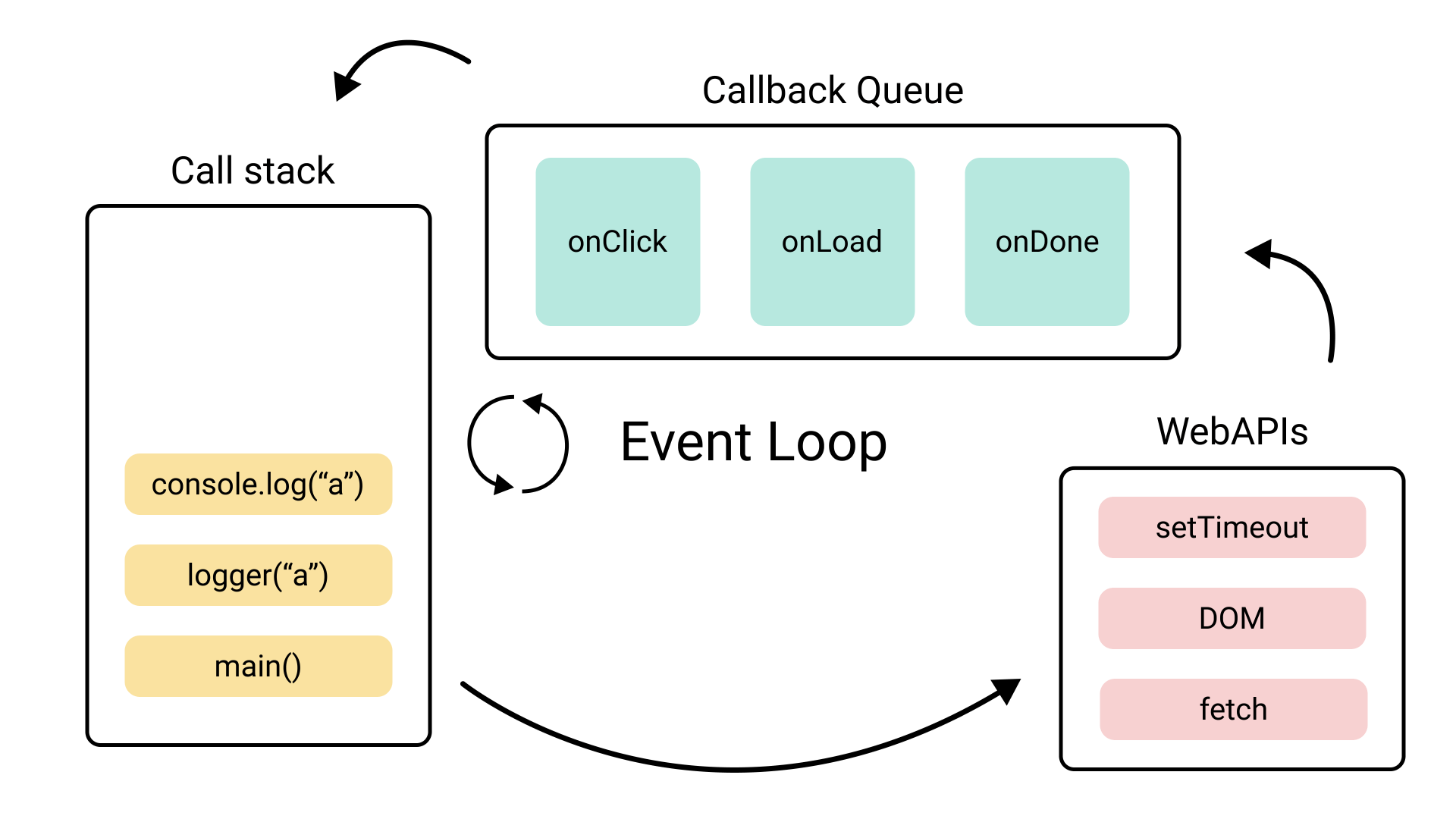
At its core, the event loop is a scheduler.
Its job is to decide when JavaScript runs and when the browser gets a chance to update the UI. It continuously checks whether the main thread is free, and if it is, it pulls the next piece of work to execute.
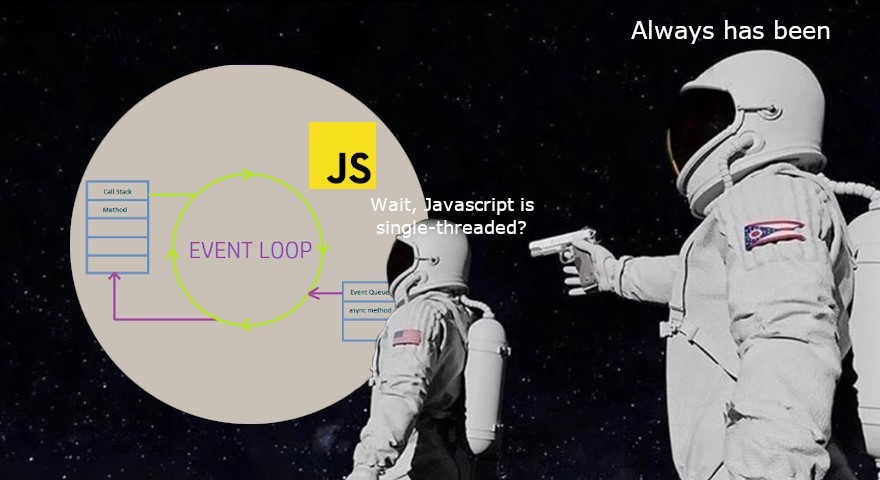
That work can come from many places: synchronous code, timers, promises, event handlers, or browser APIs. The event loop coordinates all of this so the browser can keep moving forward.
You don’t control the event loop directly, but every line of JavaScript you write affects how it behaves.
Why Synchronous Code Is So Dangerous In Frontend Apps
Synchronous JavaScript blocks everything.
While a synchronous function is running, the browser cannot:
respond to clicks
process scroll events
update styles
render frames
Even a small blocking task can be noticeable on slower devices.
This is why frontend bugs caused by blocking code feel so frustrating: nothing crashes, but the UI feels “stuck”. On Smart TVs or low-end devices, this often feels like the app is broken.
The event loop makes no distinction between “important” JavaScript and “unimportant” JavaScript. If it’s running, it blocks.
Asynchronous Code and the Illusion of Parallelism
Asynchronous JavaScript doesn’t run in parallel. It runs later.
When you use APIs like setTimeout, fetch, or promises, you’re not creating new threads. You’re telling the browser: “Run this after the current work is done.”
This distinction matters.
Asynchronous code allows the browser to pause JavaScript execution, do other work (like rendering), and then resume later. That pause is what keeps UIs responsive.
But async code doesn’t magically make heavy work disappear. If the callback itself is expensive, you still block the main thread when it eventually runs.
Why Some Logs Appear “Out of Order”
One of the most confusing moments for many developers is seeing logs print in an unexpected order when promises and timers are involved.
This happens because not all async work is treated equally.
Promises are scheduled differently than timers. Promise callbacks run before the browser gets a chance to render, while timers run later. This difference exists to make promise-based workflows feel more predictable — but also means that excessive promise chaining can delay rendering.
From a frontend perspective, this means it’s possible to write code that is technically asynchronous, yet still blocks visual updates.
That’s an important realization.
Rendering Only Happens When JavaScript Steps Aside
The browser can only update the screen when JavaScript is not running.
This explains a common bug: setting a loading state, doing heavy work immediately after, and wondering why the loading UI never appears. JavaScript never gave the browser a chance to render that state.
Rendering is not interleaved with JavaScript execution. It happens between tasks.
The event loop forces this seperation.
If you want smooth UI updates, your code must allow space for rendering to happen.
Why setTimeout(fn, 0) Is Not Immediate
Using setTimeout(fn, 0) is often misunderstood.
It does not mean “run this right now”.
It means “run this after the current work and higher-priority tasks finish”.
This makes it useful for deferring the non-critical work, but unreliable for precise timing. Understanding this prevents subtle bugs where developers expect immediate execution and get delayed behavior instead.
In frontend apps, this distinction affects perceived responsiveness more than raw speed.
Event Loop Problems Don’t Show Up In Code Reviews
Event loop issues are rarely obvious when reading code.
They show up as:
delayed input handling
janky animations
inconsistent UI behavior
bugs that only appear on slower devices
These problems are easy to dismiss as “performance issues” without realizing they’re scheduling issues.
Once you understand the event loop, these bugs stop feeling random.
Conclusion: The Event Loop Is a UX Concept
The event loop is not just about JavaScript internals.
It directly determines:
how responsive your app feels
whether animations stay smooth
whether user input is handled on time
how predictable UI updates are
Once you see it this way, frontend performance stops being mysterious.
Good frontend code isn’t just correct.
It’s considerate of the browser’s time.
And that’s exactly what the event loop is managing.
If this article helped you, consider subscribing to Frontend Engineering Weekly.
I’ll be sharing:
Practical frontend lessons
Real-world engineering insights
Web, Smart TV, and modern UI topics
One article every week
No fluff. Just real engineering.
If you found the content valuable, please hit a like❤️.
If you have any questions or suggestions, please leave a comment.
Follow me on LinkedIn and DEV.to to stay updated.
Checkout my Website and GitHub for collaboration.
I hope you have a great day and a productive week!
Regards,
Aryan
The event loop isn’t just a JS concept — it’s literally shaping how users experience our UI. Once you see performance as scheduling, a lot of “mystery bugs” finally make sense.
Great Read, very well explained!👏👏